

Searching for Tachiyomi on GitHub can be a bit confusing in 2025. Following legal developments in early 2026, the original Tachiyomi project was officially discontinued. However, because it was open-source, the community has kept the spirit alive through “forks” and successor apps.
This guide provides the latest, safest method to download and install Tachiyomi (and its official successors) directly from GitHub.
What Is Tachiyomi?
Tachiyomi is a free, open-source manga reader for Android. Unlike many apps on the Play Store, it doesn’t host any content itself. Instead, it acts as a powerful “browser” that allows you to plug in different extensions to read manga from various websites in one unified, ad-free interface.
Key Features:
- Ad-Free Experience: No interruptions while reading.
- Extensive Customization: Change reading modes, color filters, and library layouts.
- Tracking Integration: Automatically sync your progress with MyAnimeList, AniList, and more.
- Open-Source: The code is public, ensuring transparency and security.
Supported Android Versions: Most versions require Android 6.0 or higher, though newer forks recommend Android 8.0+.
Why Download Tachiyomi from GitHub?
GitHub is the official home for open-source projects. While many “APK mirror” sites exist, downloading from GitHub is the only way to ensure:
- Safety: You are getting the file directly from the developers, reducing the risk of malware.
- Transparency: You can see every change made to the code.
- Speed: You get updates the moment they are released.
Is Tachiyomi Still Available on GitHub?
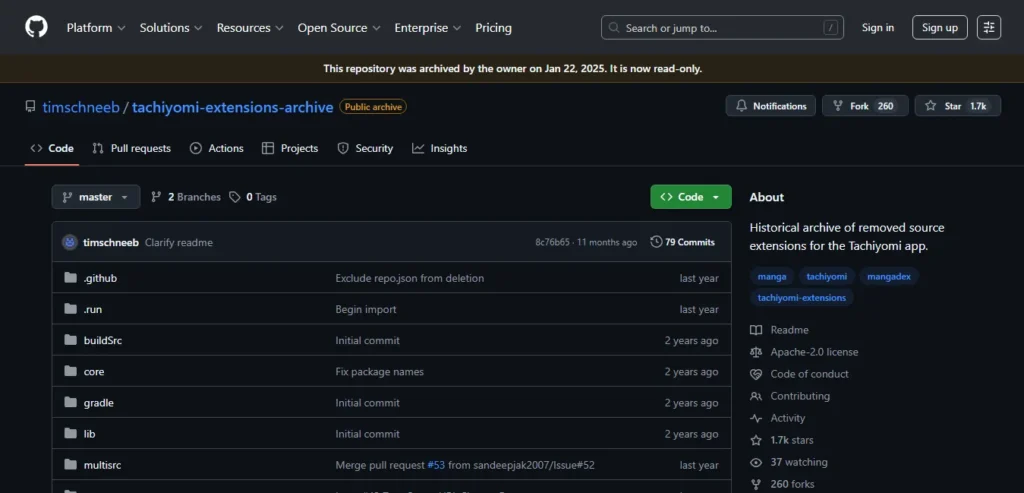
Yes, the repository still exists, but the original project is archived (read-only). This means the original “Tachiyomi” app will no longer receive security updates or bug fixes.
The Current State:
Most users have migrated to Mihon, which is the direct successor created by the original community. Other “forks” (versions of Tachiyomi with extra features) like TachiyomiSY and TachiyomiJ2K also remain active on GitHub.
Tachiyomi GitHub Repository Overview
When you visit a Tachiyomi-related page on GitHub (like Mihon or TachiyomiSY), you will see several sections. The most important one is the Releases section.
- Source Code: For developers who want to build the app themselves.
- APK Files: These are the ready-to-install files for your phone.
- Assets: This is the dropdown menu under a release where you find the
.apkfile.
How to Download Tachiyomi from GitHub (Step-by-Step)
Since the original is no longer updated, we recommend downloading Mihon (the official successor) or a stable fork.
Step 1: Open the Repository
Search GitHub Repository for the project you want (e.g., mihonapp/mihon or jobobby04/TachiyomiSY).
Step 2: Go to the Releases Section
On the right-hand side of the page (on desktop) or by scrolling down (on mobile), look for “Releases.” Click on the latest version marked with a green “Latest” tag.
Step 3: Choose the Correct APK Version
In the “Assets” dropdown, you’ll see several versions:
- arm64-v8a: For most modern 64-bit Android phones.
- armeabi-v7a: For older 32-bit phones.
- universal: Works on all devices but is a larger file.
Step 4: Download the APK
Tap the file ending in .apk to start the download.
How to Install Tachiyomi APK on Android
Android blocks apps from “Unknown Sources” by default for security.
- Enable Unknown Apps: Go to Settings > Apps > Special App Access > Install unknown apps. Select your browser (e.g., Chrome) and toggle “Allow from this source.”
- Install the APK: Open your “Downloads” folder and tap the file you just downloaded.
- First Launch: Open the app and grant the necessary storage permissions so it can save your library and downloads.
Best Tachiyomi Forks Available on GitHub
If the standard version doesn’t have the features you want, check out these popular alternatives:
| App Name | Best For… | Key Feature |
| Mihon | Most Users | Direct successor to Tachiyomi; very stable. |
| TachiyomiSY | Power Users | Added search tools and “Hentai” category support. |
| TachiyomiJ2K | Aesthetics | A completely different, modern UI look. |
| Aniyomi | Anime Fans | A fork that supports both Manga and Anime. |
How to Update Tachiyomi Using GitHub
Because these apps are not on the Google Play Store, they won’t update automatically.
- Check for Updates: Most forks have an “About” or “Settings” section that notifies you of a new version.
- Manual Download: Go back to the GitHub Releases page and download the newest APK.
- Install Over Existing App: You do not need to uninstall the old version. Simply install the new APK over it to keep your data.
- Backup First: Always go to More > Settings > Backup and restore and create a backup before updating, just in case.
Is Tachiyomi Safe?
Yes, if downloaded from GitHub.
Because the app is open-source, any malicious code would be quickly spotted by the community. However, be careful with extensions. Since the official extension list was removed, you must now add “Extension Repos” (like the popular Keiyoushi repo) to find your favorite sources.
Common Problems & Fixes
- App Not Installing: Ensure you downloaded the correct architecture (e.g.,
arm64-v8a). If that fails, try the “Universal” APK. - Extensions Not Showing: You must now manually add an extension repository URL in Settings > Browse > Extension repos.
- App Crashing: This often happens after an Android system update. Check GitHub for a new “Pre-release” or “Beta” that might fix the bug.
Tachiyomi Alternatives
If you decide the GitHub method is too complex, here are a few alternatives:
- Mihon: As mentioned, the new standard.
- Kotatsu: Available on F-Droid, very user-friendly.
- Paperback: The best alternative for iOS users.
Pro-Tip: If you are moving from Tachiyomi to Mihon, you can export your backup file from Tachiyomi and import it into Mihon to keep your entire library and reading history!